Work · Active Directory
Automatic Active Directory accounts
How I solved, for a customer, a problem that kept coming back: creating and deleting many Active Directory accounts at once.
The problem
Every system administrator, employee or freelancer, often has to create and delete accounts in Active Directory. Doing it by hand, one at a time, is slow, boring and error-prone. How can it be done effectively and efficiently? With a script.
What is a script
A script is a series of instructions that the server runs automatically, so that the same job does not have to be repeated by hand. Here the script creates or deletes the accounts of a company network.
Besides the script, all you need is a file (for example Excel or CSV) with the people’s data: first name, last name, user name, department, phone and so on. When the script runs, it reads the file and creates or deletes the accounts, whether there are 100 or 10,000.
Before you start
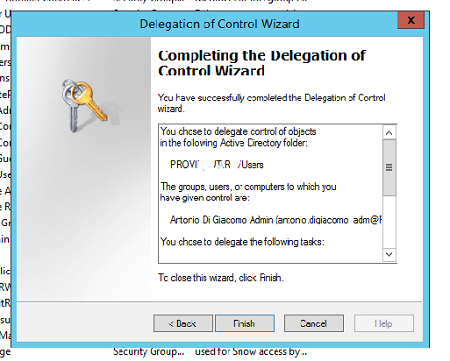
Besides being an administrator, the account that runs the script needs delegated control (Delegation Control) over the organisational units where it creates the accounts.
The basic command
With PowerShell, a single user is created with a command like this:
New-ADUser -Name "Paperino" -GivenName "Paperino" -Surname "Duck" -SamAccountName "paperino.duck" -UserPrincipalName "paperino.duck@nomeazienda.it" -Path "OU=IT,OU=HeadOffice,DC=NOMEAZIENDA,DC=IT"The script does the same, but takes the values (first name, last name, organisational unit…) from each line of the file, and adds the necessary checks. Part of the code is published on my GitHub.